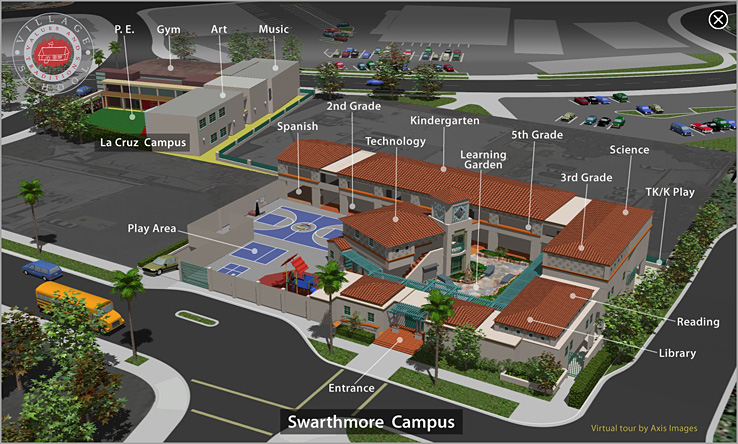
NOTE - Except for #6 which plays in HTML 5  , the others do not. They play only in Apple's QuickTime7 , the others do not. They play only in Apple's QuickTime7  . .To play these correctly you need QuickTime 7 installed. _It's free._Get it here for Mac OS. _ Here for Windows. QuickTime 7 is an additional download to the "QuickTimeX" that comes with new Macs. |
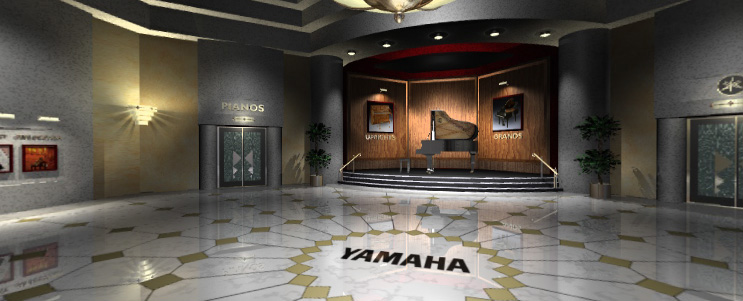  1 -- INTERIOR -- Yamaha Pianos -- 1 -- INTERIOR -- Yamaha Pianos --The camera is inside the 3D building. This was originally a CD-ROM. I reformatted some sections of it to play on the web. It shows panoramic navigation within a room, one side to the other and from room to room by linear movies transitioning from one room to the next. There are two ways to view this - 1_ As individual panos that you can re-size with your web browser window.  - Requires QuickTime. ( iPad = No ) - Requires QuickTime. ( iPad = No )2_ Original CD-ROM - 640 wide x 480 tall - - Requires QuickTime. ( iPad = No ) |
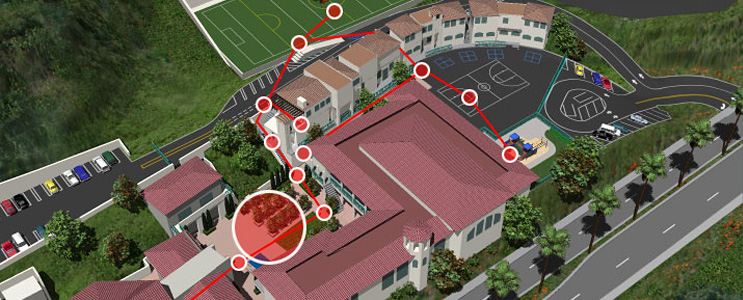 2 -- EXTERIOR - INTERIOR -- 3D building, Map, 3D interactive panos 2 -- EXTERIOR - INTERIOR -- 3D building, Map, 3D interactive panosThis is just for fun. This was a spin-off of a paid job - It has 3D generated mountains, buildings, campus map etc. But in this special version the panos are also 3D generated at various points around the campus. The original job can be seen here. - Requires QuickTime. ( iPad = No )
|
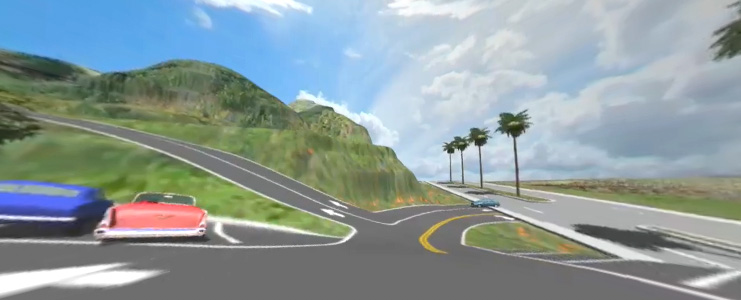 2B -- "VR Video" movie 2B -- "VR Video" movieUsing the same school campus 3D model as #2 above, this video was a demonstration of a special kind of video. As the movie is playing and you are moving forward around the school campus, you can pan the image to look around 360 degrees. The movie needs to be downloaded and played in a special player. Here is the mac version of the Player application. Download the 9 MB movie with the load button below. - Requires QuickTime. ( iPad = No )
|
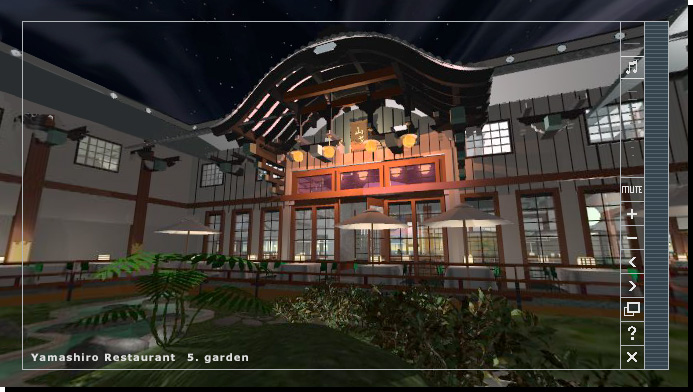 3 -- INTERIOR -- Yamashiro Restaurant Hollywood 3D -- 3 -- INTERIOR -- Yamashiro Restaurant Hollywood 3D --The camera is both inside and outside of the 3D building. It has 3D map of the building of which the roof fades away to reveal the building interior, click on numbered hotspots to launch panos made from 3D sources in a new QuickTime window. Also has music and extra user controls. For the original job, that can be seen here , the client supplied only a simple drafting image of the general floor plan, everything else was done by eye from reference photos taken of the real building. NOTE - Does not have "in-line-of-sight" linked panos. - Requires QuickTime. ( iPad = No )
|
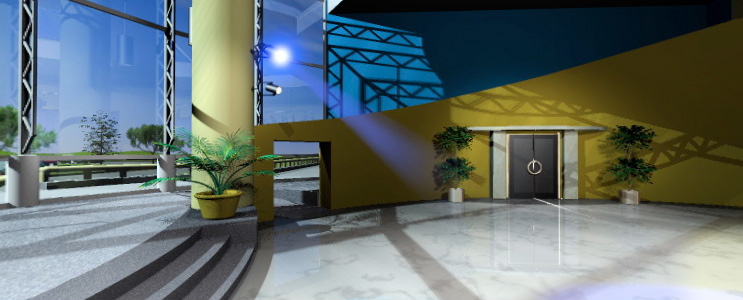 4 -- INTERIOR -- Auditorium -- 4 -- INTERIOR -- Auditorium --The camera is inside 3D auditorium. This was the main interface for a sort of "info-mercial". It is "cubic" that is a special type of pano in which you can also look up and down. The idea was that the user could move around the room, front area, back area, left, right, and click on things to get information. They could then click on a doors and travel into the next room for more information. The stage area was where a video projection of the master of ceremonies would appear. NOTE - the original dimensions were 512 wide X 256 tall, but in this presentation you can resize it much larger by resizing your web browser window. - Requires QuickTime. ( iPad = No )
|
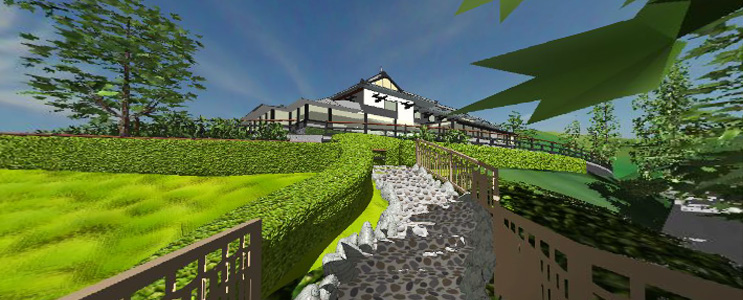 5 -- EXTERIORS -- Yamashiro Tour 5 -- EXTERIORS -- Yamashiro TourThe camera is outside the building. It has 3D generated intro map, 3D crafted building and 3D panos generated from the same model geometry as the building. NOTE - For the original job, seen here , the client supplied only simple drafting image of the general floor plan, everything else was done by eye from reference photos taken of the real building. - Requires QuickTime. ( iPad = No )
|
|
|
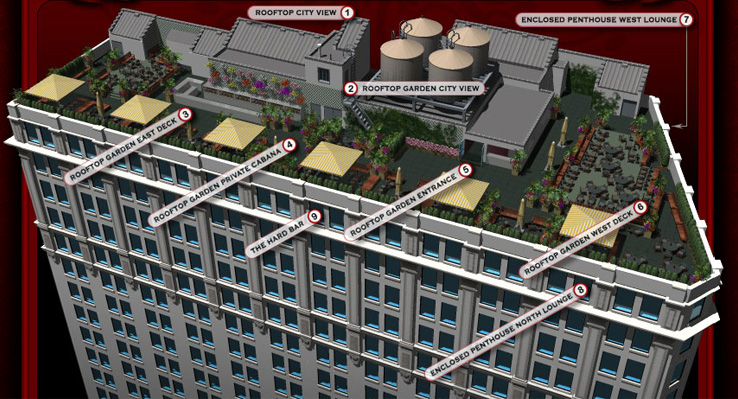 7 -- EXTERIOR -- Skyscraper -- 7 -- EXTERIOR -- Skyscraper --This rooftop club provided image scans of blueprints. These were made into vector art and from that the 3D building was constructed. Much of this process (height and decorative detailing) is done from reference photos taken while on-site and by eye. - Requires QuickTime. ( iPad = No ) |
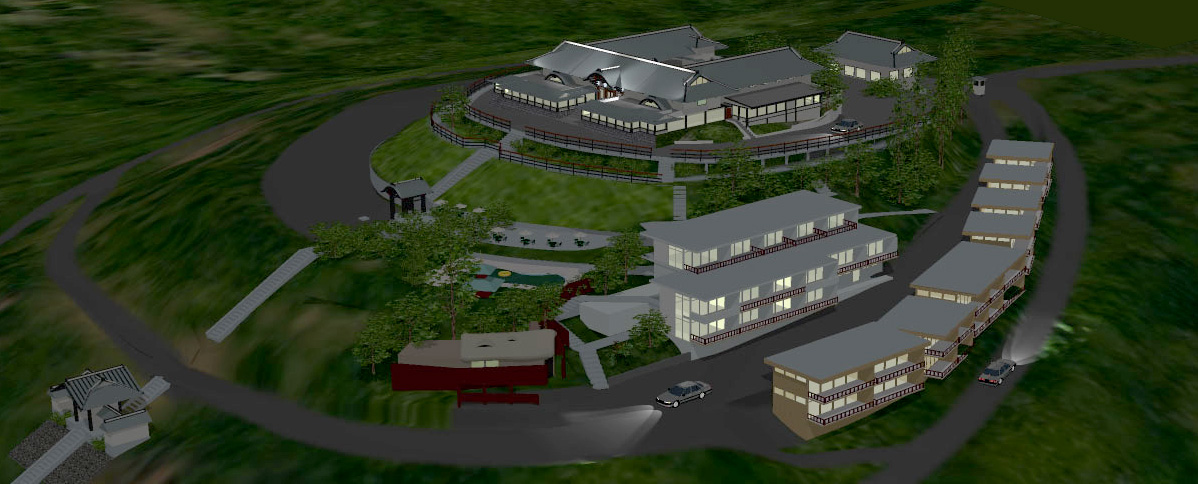 8 -- Yamashiro Hill Night -- 8 -- Yamashiro Hill Night --This is not a tour. This is large renders of the night version of the Yamashiro model. |